MISP Objects
A MISP object is a structured group of related attributes, built from a reusable template — for example a file object bundling a filename with its hashes and size, or a domain-ip object. Objects sit alongside plain attributes and let you express richer, real-world constructs while keeping each value a first-class, correlatable attribute. The object templates are community-maintained in the misp-objects repository and are designed around real cyber-security use-cases and sharing practices.
Using objects
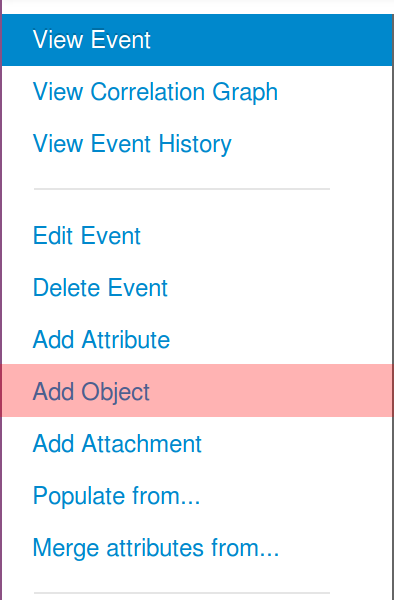
To add an object to an event, open the event and choose Add Object from the left-hand menu:
This opens a picker that lists every available object template in a single searchable dropdown. Start typing to filter the list by name — each entry shows the template’s meta-category beneath its name, and its info icon reveals a short description of what the object is for:
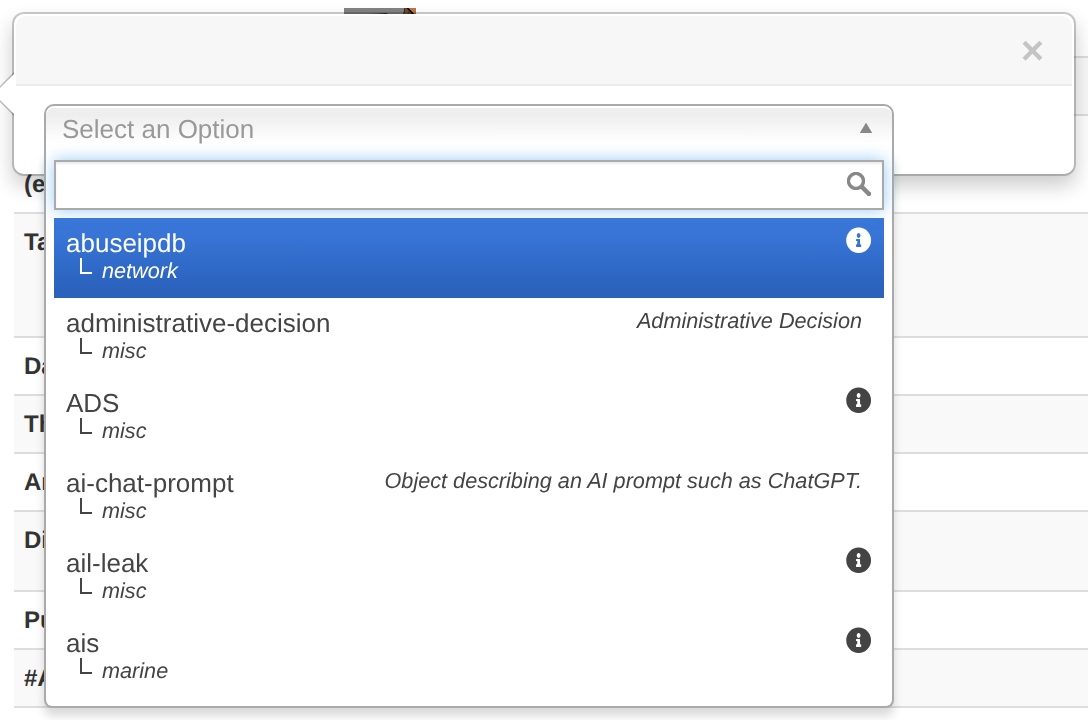
For this example we will add an ip-port object. Selecting a template opens its form, which lists every attribute the template defines:
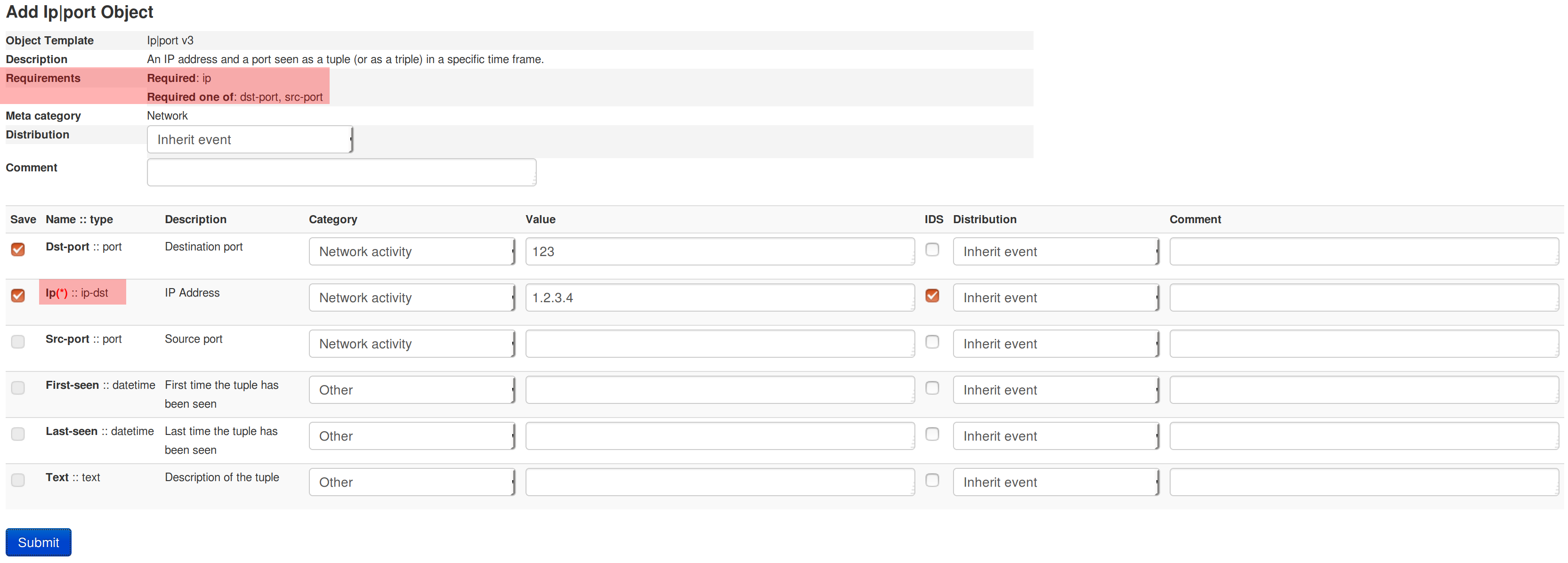
Each template sets its own requirements, shown at the top of the form. The ip-port template requires one of dst-port, src-port, domain, hostname, ip, ip-src or ip-dst to be set — you do not have to fill in every field, but an object with no attributes at all, or one that does not satisfy its template’s requirements, is invalid and will not be added to the event.
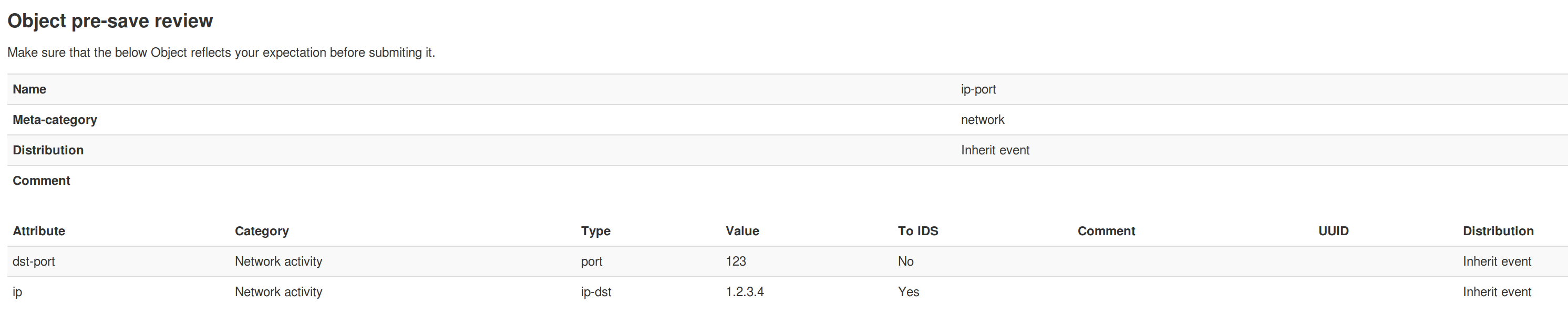
After pressing Submit you are shown a pre-save review, so you can confirm the object reflects what you intended before it is created:
Objects can also be created for you by the import tools (freetext and the various “Populate from…” formats), which build the appropriate objects from the data you paste in.
Object references and relationships
The real power of objects comes from linking them together. An object can hold references to other objects — or to individual attributes — each labelled with a relationship type that says how they are related (for example a network-connection object connects-to an ip-port object, or a file object was downloaded-from a url). Together these references form the event graph you can explore from the event view.
To add one, use the Add reference action on an object and pick the target object or attribute plus a relationship type. MISP offers a standard set of relationship types (maintained in the misp-objects repository), or you can enter a custom one. References are directional (source → target) and are shown both on the objects themselves and in the event graph.
Editing objects
An object’s attributes are edited just like any other attribute — inline in the event view, or through the object’s edit form. As with attributes, changing an object un-publishes the event, so you republish once you are done.
Object templates
Every object is created from an object template that defines which attributes it can contain, which are required, and how they are presented. The template library ships with MISP and is kept up to date from the misp-objects repository — refresh it with Update Objects in the administration menu, or on the command line with cake Admin updateObjectTemplates (a good candidate for a cron job).
Creating object templates
An object template is a JSON file that follows the object schema.
An object is basically a combination of two or more attributes that can be used together to represent real cyber security use-cases. These attributes are listed in a JSON object.
Each attribute is an JSON object defined by a name, a description, a misp-attribute and an ui-priority value. - Name and description are self-explanatory. - misp-attribute is an existing type of attribute in misp that matches the attribute. - Concerning ui-priority, the higher the number is, the most it is expected to be seen.
There are also others options that can be added to define an attribute more precisely. - sane_default is a list of default valid value for this attribute. The user can pick a value from this list or choose “Enter value manually” - disable_correlation will disable correlation for this value. Useful for dates for instance - recommended value for this field - multiple, if set to true, allow the user to add multiple instances of this attribute.
Not all attributes are mandatory, but some can be required. If so, they need to be listed in a list called “required”. The object will only be valid if the listed attributes are set. The same way, there are sometimes when only one attribute in a set is needed. This set can be put in a list called “requiredOneOf”. If at least one of the attributes in this list is set, the object will be valid.
Rather than hand-editing and validating these JSON files, you can use the Object Template Creator, part of the MISP Engineering Bay toolset. It is a small self-hosted web application that provides a guided editor for object templates — a searchable attribute-type picker driven by MISP’s describeTypes, real-time validation, and import/export of definition.json files — and can load any of the existing templates as a starting point. Once your template is ready, add it to app/files/misp-objects/ and run Update Objects (or cake Admin updateObjectTemplates) to load it.