Keyboard Shortcuts
MISP ships with keyboard shortcuts on the busiest pages. To see which shortcuts are available on the page you are currently on, press the small triangle at the bottom-right of the window (or press ?), which opens the Keyboard shortcuts for this page helper.
Demo: 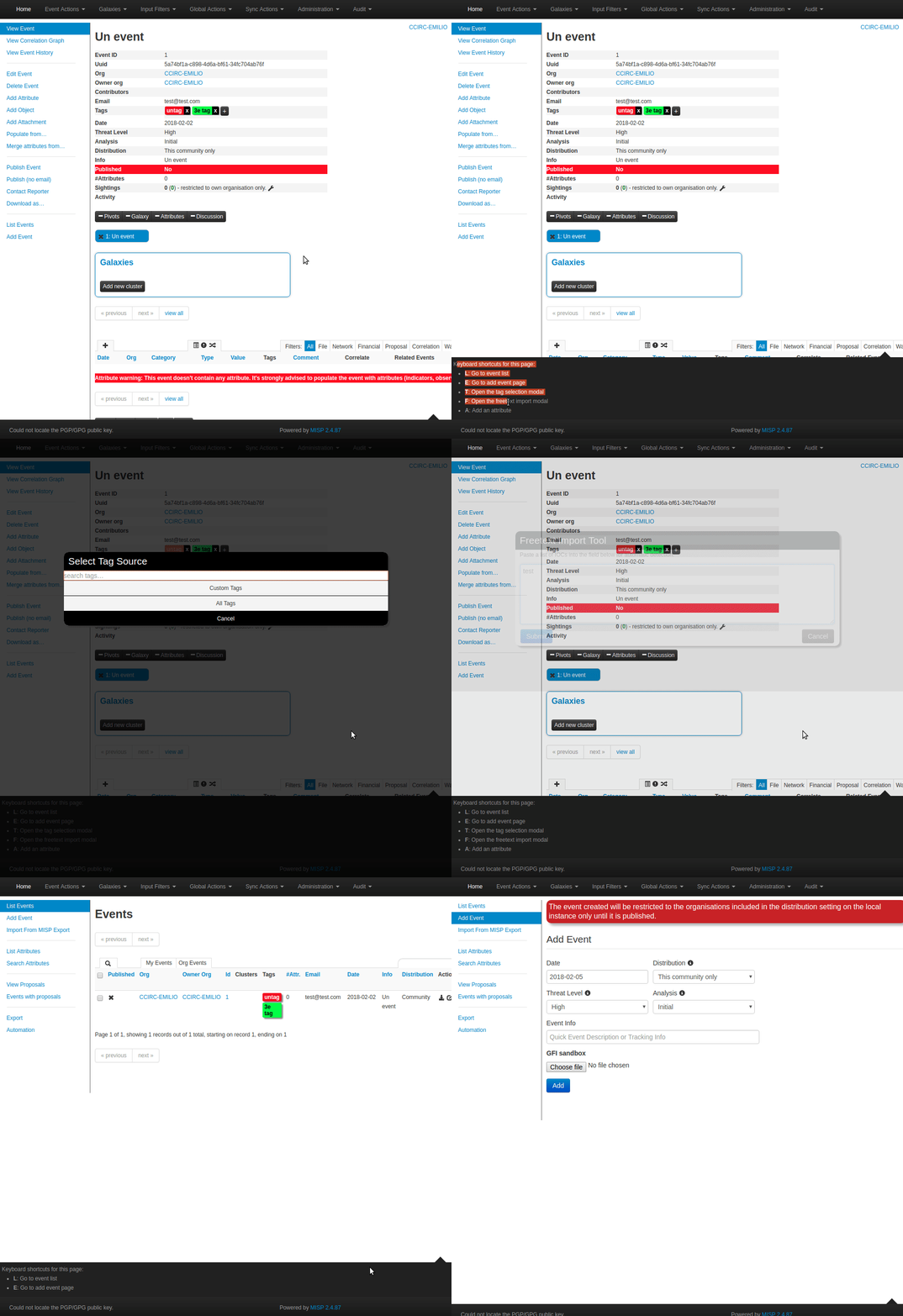
Default shortcuts
The following shortcuts are available everywhere:
| Key | Action |
|---|---|
l |
Go to the event list (/events/index) |
e |
Go to the add-event page (/events/add) |
? |
Show the keyboard-shortcuts helper for this page |
On the event view page (/events/view) these additional shortcuts apply:
| Key | Action |
|---|---|
t |
Open the tag-selection modal |
i |
Open the Populate from… import choice modal |
f |
Open the freetext import modal |
a |
Add an attribute |
o |
Add an object |
s |
Focus the attribute filter bar |
On the event index page (/events/index), s focuses the event filter bar.
The default set is defined in the shipped source and may grow between releases — always check the on-page helper (?) for the authoritative list on your version.
Customising the shortcuts
Since MISP 2.5 the shortcuts are defined in a single JavaScript definition file rather than in per-page JSON files. To add or change a shortcut, edit app/webroot/js/keyboard-shortcuts-definition.js and extend the getShortcutsDefinition() function, which receives the current controller and action and returns the list of shortcuts for that page:
function getShortcutsDefinition(controller, action) {
    var shortcuts = [
        {
            "key": "l",
            "description": "Go to event list",
            "action": function () {
                document.location.href = baseurl + '/events/index';
            }
        }
        // ... other global shortcuts ...
    ];

    if (controller === 'events' && action === 'view') {
        shortcuts.push({
            "key": "t",
            "description": "Open the tag selection modal",
            "action": function () {
                $('.addTagButton').first().click();
            }
        });
    }
    return shortcuts;
}
Each shortcut is an object with a key, a human-readable description (shown in the on-page helper), and an action — a JavaScript function that runs when the key is pressed. To scope a shortcut to a specific page, add it inside a matching controller/action branch; to make it global, add it to the top-level shortcuts array. There is currently no in-GUI editor for the shortcuts — the definition file is the single source of truth, so keep local changes under version control so an upgrade does not silently overwrite them.